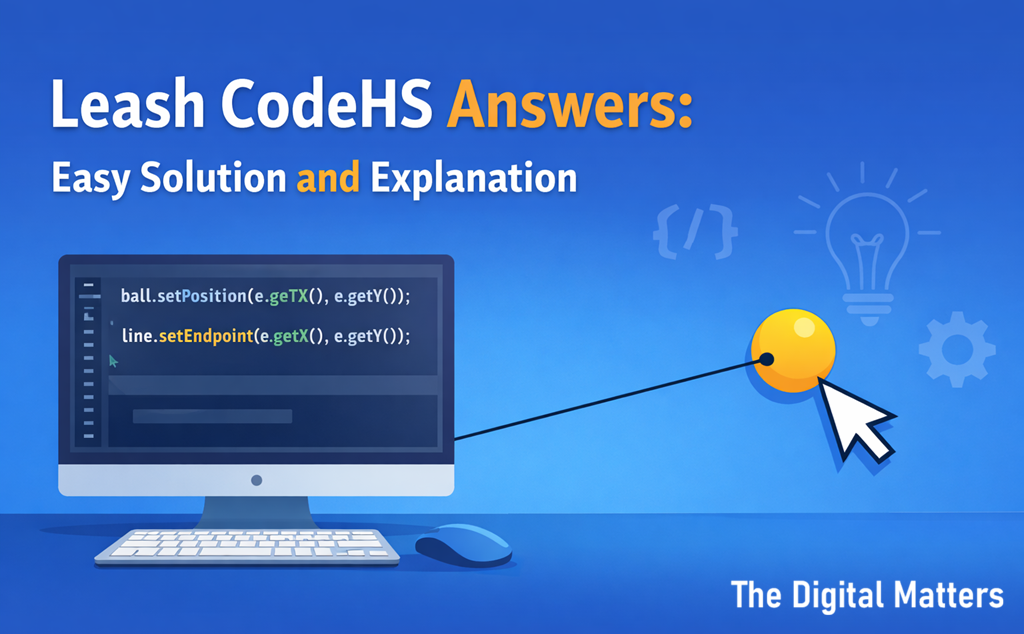
Leash CodeHS Answers refer to the correct logic and code used to solve the Leash programming exercise in the CodeHS graphics curriculum. In this activity, students create a program where a ball follows the mouse cursor while a line connects the ball to a fixed starting point, making the ball appear attached by a leash.
A typical solution includes these steps:
- Create a circle object to represent the ball.
- Create a line that starts from the center of the screen.
- Use a mouse movement event such as
mouseMoveMethod(). - Update both the ball position and the line endpoint whenever the mouse moves.
When the mouse moves, the program reads the cursor coordinates and updates the ball position and leash endpoint to match those values. This produces the visual effect of a ball attached to a leash that follows the cursor.
This exercise helps students learn event driven programming, mouse interaction, graphics objects, and coordinate systems in beginner programming.
What Is the Leash Exercise in CodeHS
The Leash exercise in CodeHS appears in the JavaScript graphics section of the CodeHS programming curriculum. It helps students practice interactive programming using mouse input.
The task looks simple at first. A ball appears on the screen. A line connects the ball to the center of the canvas. When the mouse moves, the ball moves with it and the line stretches like a leash.
However, behind this simple animation lies an important lesson about how programs react to user actions.
Students learn how to connect three important parts of a program:
- graphics objects
- user input
- real time updates
Once these elements work together, the program becomes interactive.
Why the Leash Exercise Matters for Beginner Programmers
Many beginners search for Leash CodeHS Answers because the exercise introduces a new idea called event driven programming.
In traditional programs, code runs from top to bottom.
Interactive programs work differently. They wait for user actions such as mouse movement or keyboard input.
The leash activity teaches this concept in a clear visual way.
Skills Students Learn
| Skill | What It Teaches |
|---|---|
| Mouse events | How programs detect cursor movement |
| Graphics objects | How to create circles and lines |
| Coordinates | How positions work on the screen |
| Event functions | How programs react to user actions |
| Real time updates | How objects move instantly |
These same skills appear later in many programming fields such as game development and user interface design.
Example Leash CodeHS Solution
Below is a common version of a working solution in the CodeHS JavaScript graphics environment.
var BALL_RADIUS = 30;
var ball;
var line;function start(){    ball = new Circle(BALL_RADIUS);
    ball.setPosition(getWidth()/2, getHeight()/2);
    add(ball);    line = new Line(getWidth()/2, getHeight()/2,
                    getWidth()/2, getHeight()/2);
    add(line);    mouseMoveMethod(moveLeash);
}function moveLeash(e){
    ball.setPosition(e.getX(), e.getY());
    line.setEndpoint(e.getX(), e.getY());
}
This program creates the leash effect.
The ball follows the cursor, and the line stretches from the center to the cursor location.
Step by Step Explanation of the Leash Program
Understanding the logic behind the program makes the exercise much easier.
Creating the Ball
The program begins by creating a circle object.
This circle represents the ball that will move across the screen.
The program places it in the center of the canvas so it starts at the same point as the leash.
Creating the Leash Line
Next, the program creates a line.
The line begins at the center of the screen. At first, both endpoints share the same position.
This makes the line appear attached to the ball.
Detecting Mouse Movement
The function mouseMoveMethod() activates a mouse event listener.
This tells the program to run a function whenever the cursor moves.
Because of this event system, the program reacts immediately to user movement.
Updating the Ball and Line Position
Inside the event function, the program reads the mouse coordinates.
Then it updates:
- the ball position
- the leash endpoint
Both use the same coordinates. As a result, the ball appears connected to the leash while following the cursor.
Common Problems Students Encounter
Many students look for Leash CodeHS Answers because their program behaves incorrectly. Most problems come from small mistakes.
Understanding these errors helps students fix them quickly.
The Ball Does Not Move
This usually means the mouse event function was not added correctly.
The program must call mouseMoveMethod().
The Line Does Not Follow the Ball
Students sometimes forget to update the line endpoint.
The program must set the endpoint using the mouse coordinates.
The Leash Appears in the Wrong Place
This happens when the starting coordinates of the line are incorrect.
Using the center of the screen usually solves the issue.
How the Leash Exercise Connects to Real Programming
Although this exercise is small, it reflects how many real applications work.
Programs often react to user actions.
Examples include:
- drawing applications that follow the cursor
- video games that move characters based on input
- interactive websites that respond to mouse actions
- animation tools that track pointer movement
Because of this, the leash activity introduces an important programming pattern used in many modern programs.
Tips for Solving CodeHS Graphics Exercises
Students often succeed faster when they follow a few simple habits.
Break the Problem into Small Steps
Focus on one task at a time.
For example:
- create the ball
- create the line
- detect mouse movement
- update positions
This approach makes debugging easier.
Test the Program Frequently
Run the program after each change.
Small tests help catch errors early.
Use Clear Variable Names
Names like ball, line, and moveLeash make the code easier to understand.
Readable code also helps during debugging.
Experiment with Small Changes
Students can try changing the ball color or radius.
These small experiments help build confidence with the graphics system.
Responsible Use of Leash CodeHS Answers
Looking for help while learning programming is normal.
However, copying code without understanding it prevents real learning.
A better approach is:
- read the solution carefully
- understand what each line does
- rewrite the code yourself
- test small changes
This method builds strong programming skills and long term confidence.
Frequently Asked Questions
What is the Leash exercise in CodeHS
The Leash exercise asks students to create a program where a ball follows the mouse cursor while a line connects the ball to a fixed point on the screen.
Which language does the Leash exercise use
Most versions of the exercise use JavaScript graphics in CodeHS.
Why is my leash line not moving
The most common reason is that the line endpoint is not updated using the mouse coordinates inside the mouse event function.
What programming concept does the Leash exercise teach
The exercise teaches event driven programming, where programs react to user actions such as mouse movement.
Final Thoughts
The topic Leash CodeHS Answers appears often because the exercise introduces a new way of thinking about programming.
Instead of running a fixed sequence of steps, the program reacts to the user.
This simple idea forms the foundation of many interactive systems.
When students understand how the ball follows the cursor and how the leash updates, they gain skills that extend far beyond this exercise.
Those skills help them build games, animations, and interactive programs in the future.